Tech-Forum

What is Artificial Intelligence?

Image result for artificial intelligence

img 56a069824e658

Introduction:

  • Artificial intelligence(AI) is technology and a branch of computer science that studies and develops intelligent machines and software.
  • Here intelligent system means a system that perceives its environment and learn through experience like human beings.
  • In 1955, John McCarthy coined the term “Artificial Intelligence”.


Intelligence:

  • Intelligence is the ability to learn about, to learn from, to understand about, and interact with one’s environment.
  • Intelligence is the faculty for understanding.img 56a069c0caab3

“Intelligence is not to make no mistakes but quickly to understand how to make them good” -(German Poet )


Core Parts of AI:

  • Knowledge
  • Reasoning
  • Problem solving capabilityimg 56a06a0295a0e
  • Perception
  • Learning
  • Planning
  • The ability to manipulate and move objects

How does AI Works:

Artificial intelligence works with the help of :

  • Artificial Neurons   (Artificial Neural Network)
  • Scientific theorems (If-Then Statements, Logics)

http://guardianlv.com/jainglobal/uploads/2014/03/Robots-The-Possibilities-of-Artificial-Intelligence-650x406.jpg220px

What is Neural Networking:

Artificial neural networks are  composed of interconnecting  artificial neurons (programming constructs that mimic the properties of biological neurons).

Image result for artificial intelligence

Structure of Biological Neuron:

img 56a06bc6e1373
An Artificial Neuron:

img 56a06c17b8957

Turing Test:

  • The Turing testis a test of a machine’s ability to exhibit intelligent behaviour equivalent to, or indistinguishable from, that of an actual human.
  • The test was introduced by Alan Turingin his 1950 paper “Computing Machinery and Intelligence,”

Test Setup-

Person A (actually a computer) and Person B both say that they are human. Person C tries to find out whether Person A or Person B is the computer or the human.

img 56a06cbc8c68b

Examples of Artificial Machines:

  • Deep Blue was a chess-playing computer developed by IBM. On May 11, 1997, the machine, played chess with world champion Garry Kasparov.
  • MYCIN: is an expert system for treatment of blood infection.

Advantages:

  • It can help improve our way of life.
  • Use of robots for heavy construction, military benefits or even for personal assistance at private home.
  • There will be less injuries and stress to human beings.
  • Many of our health problems now have possible solutions with the use of Artificial Intelligence.
  • Scientists have been using AI to test theories and notions about how our brain works.artificial intelligence risk reward now labs

Disadvantages:

  • If robots start replacing human resources in every field, we will have to deal with serious issues like unemployment.
  • One of the major disadvantages of intelligent machines is that they cannot be ‘human’. We might be able to make them think. But will we be able to make them feel?
  • Apart from these concerns, there are chances that intelligent machines overpower human beings.

Awadhesh Kumar
Jain Software Developers

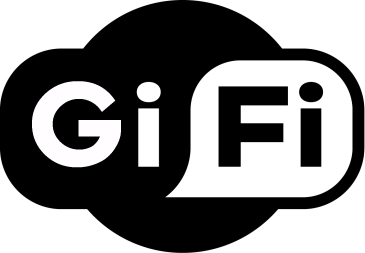
Gi-Fi Technology

https://mgitecetech.files.wordpress.com/2011/07/gifi.jpg


Introduction of GiFi:

  • GI-FI means gigabit wireless.
  • Worlds first transceiver integrated on single chip.
  • Operates on 60ghz on the CMOS process.
  • Allows wireless transfer of audio and video data at upto 5GB per second.
  • Transfer data within an indoor environment usually within a range of 10ms.
  • Man behind Gi-Fi is Professor Stan Skafidis of Melbourne university.

Evolution of GiFi:

img 569f16d7cae97

Why GiFi:

The reason for pushing into Gi-Fi technology is because of

  • slow rate,
  • high power consumption,
  • low range of frequency operations of earlier technologies i.e. Bluetooth and Wi-Fi’s.

Gi-Fi Access Devices:

img 569f17399373d


Application of GiFi:

  • In wireless PAN networks.
  • Inter-vehicle communication system.
  • Huge data file transfer.
  • Office appliances.
  • Video information transfer.

Awadhesh Kumar

Jain Software Developers


Light Fidelity Technology

Li-Fi: The Future of Wireless Communication Through Light

Present Scenario

The demand for wireless data is skyrocketing — doubling every year — as billions of connected devices, from smartphones to smart homes, compete for limited radio bandwidth. Traditional Wi-Fi and cellular networks are now facing congestion like never before.

This growing challenge raises a critical question:
What technology can meet the future demand for high-speed, secure, and interference-free wireless communication?

The answer lies in Li-Fi (Light Fidelity) — an innovative technology that transmits data through light instead of radio frequencies.


How Li-Fi Works

The concept of Li-Fi is simple yet revolutionary.

Li-Fi uses LED lights to transmit data. When an LED is on, it transmits a digital 1. When it is off, it transmits a digital 0. These rapid on-off light variations (which are too fast for the human eye to detect) form binary data signals.

A Li-Fi controller encodes the data into the LED’s light waves, and a receiver — such as a photodiode — decodes these light signals back into digital information.

Essentially, any space illuminated by LED lights can become a high-speed data zone, transmitting information seamlessly and securely.

All that’s needed are LED light sources and intelligent controllers to modulate the light.


Why Visible Light Communication (VLC)?

The electromagnetic spectrum offers many forms of energy, but only the visible light spectrum is ideal for daily, human-safe data transmission. Here’s why:

  • Gamma rays and X-rays are highly dangerous to human health.

  • Ultraviolet light (UV) can cause biological damage.

  • Infrared light (IR) is limited by eye-safety regulations and power restrictions.

The visible light spectrum — safe, abundant, and license-free — offers a clean and secure alternative.
This makes Visible Light Communication (VLC) the foundation of Li-Fi, paving the way for the next generation of wireless connectivity.


About Luxim (LAXIM)

Luxim, a clean-tech company based in Sunnyvale, California, was founded in 2000 and has been at the forefront of advanced lighting and Li-Fi solutions.
The company focuses on creating light-based technologies that are fast, reliable, and environmentally sustainable.

Luxim’s Li-Fi Products

  1. LIFI4KP – Designed for visible light applications such as microscopy, machine vision, and industrial inspection.

  2. LIFI4KT – A broadband source covering both UVA and visible light regions, ideal for precision lighting and scientific use.

  3. LIFI4KU – A mercury-based light source with strong UV spectral emission (down to 320 nm), used in UV curing, fluorescence imaging, and UV printing.

These technologies demonstrate how light-based systems can go beyond illumination — offering powerful, real-time data communication.


Potential Applications of Li-Fi

Li-Fi’s versatility opens up new possibilities across industries. Here are some key areas where it’s making an impact:

1. Smart Traffic Systems

Traffic lights equipped with Li-Fi can communicate with vehicles and nearby signals.
Cars using LED headlights and taillights can exchange data, preventing collisions and optimizing traffic flow — making roads safer and smarter.

2. Safe Industrial Environments

In sensitive zones like petrochemical plants, hospitals, and aircraft, where radio waves can interfere with equipment or pose hazards, Li-Fi provides a safe communication channel using harmless visible light.

3. Public Internet Hotspots

Imagine streetlights acting as high-speed internet hubs.
By integrating Li-Fi technology into street lamps, cities can create public data zones, offering connectivity wherever there’s light — a cost-effective step toward truly smart cities.


Conclusion

Li-Fi represents a transformational shift in wireless communication. By harnessing the power of light, it offers an ultra-fast, secure, and interference-free alternative to traditional Wi-Fi.

As research continues and infrastructure evolves, Li-Fi could soon redefine how the world connects — turning every beam of light into a gateway to the digital universe.


Written by:
Jain Software Developers
Central India’s Leading Software & IT Solutions Company
www.jain.software

What is Blue Jacking?

img 569c790996259

Know Bluetooth Technology:

žBluetooth is a wireless networking standard created for personal area networks (PANs). Is was founded in 1994,as wireless data transmission technology using radio transmissions.žBluetooth is a cable replacement technology.

žBluetooth is an IEEE standard under the denomination of 802.15 WPANs.žž Bluetooth provides cheap connection between two or more devices.žžBluetooth has a short range of approximately 10 meters up to 25 meters.žžBluetooth offers low speeds of approximately 1Mbps.

What is Blue Jacking:

img 569c7b9b23b3d

žBlue jacking exploits a Bluetooth device’s ability to discover other nearby devices to send unsolicited messages.žThe unsolicited message is then displayed on the victim’s device, potentially causing confusion or at least annoyance. Actually blue jacking allows individ

uals to send business cards anonymously using Bluetooth wireless technology. Bluejacking does not involve the removal or alteration of any data from the device. These business cards often have a clever or flirtatious message.

Features of Blue Jacking:

  • žBluejacking does not involve the removal or alteration of any data from the device.ž
  • žA bluejacker normally send only a text message, but now it has now become possible to send images or sounds also.ž
  • ž Bluejacking exploits a Bluetooth device’s ability to discover other nearby Bluetooth devices.


How to Blue Jacking Done:ž

žIt is done with the help of OBEX protocol.ž

žTo choose the recipients of bluejacks, senders complete a scan using their mobile phones to search for the available Bluetooth-enabled devices in the immediate area.ž

žA bluejacker then picks one of the various available devices (that have their Bluetooth on), composes a message within the body of the phone’s contact interface, then sends the message to the receiver and stays close to the receiver to observe any reactions expressed by the person.ž

žThe message is sent via vCard functionality. It has a name field for bluedating or bluechat to another Bluetooth enabled device.žž

žIt also allows phone users to send business cards secretly using Bluetooth. These business cards can even contain clever or flirtatious messages instead of simply the phone number and name.ž

žBluejackers look for the receiving phone to ping or to react.

http://www.oracle.com/ocom/groups/public/@otn/documents/digitalasset/144926.gif

img 569c7d53d6e9d

Fig. 1 how the sender sends the bluejack message

img 569c7d6b8c337

Fig. 2 what does receiver sees on the screen as it receives the bluejack message

Advantages of Blue jacking:ž

  • žUsually, a bluejacker will only send a text message, but with modern phones it’s possible to send images or sounds as well.
  • žWe can easily transfer data from mobile to laptop or from mobile to mobile in a short period.
  • žWe can even enjoy music by wireless headphones through Bluejacking.

Disadvantages of Blue jacking:

  • žIncrease in the availability of Bluetooth enabled devices, these devices have become vulnerable to virus attacks and even complete takeover of devices through a Trojan horse program.ž
  • žThese may even cause irritation in any person as these are just unwelcomed messages or some jokes.ž
  • žThey can annoy anyone very easily.

Usages of Blue Jacking:ž

http://tecnologyc.com/jainglobal/2011/03/blue-jacking.jpg

žIt can be used in malls for advertisement purposes. As you cross their shop, you can get a message or any latest scheme they are providing on that day, etc.ž

žThey can be used at railway station to give you information about various general rules and about train timings, etc. Someone can even annoy you by sending useless messages. So, it is advisable to keep it off at these public places.ž

ž It can also be used at café, restaurant, cinema, mobile phone shop or at any electronic shop to provide you various information regarding them but any other random person can also send you the Bluejack messages and hence can even annoy you.


žHow to prevent yourself from Blue Jackers:

žPhone owners who receive bluejack messages should refuse to add the contacts to their address book. This means they must be fully ignored.ž

žDevices could be set in the non-discoverable, hidden or invisible mode in the menu. They are not prone to bluejacking.ž

žYou can turning off your Bluetooth device off at certain public areas like various shopping centers, coffee shops, movie theaters, bars and clubs, public transport vehicles, phone, at various electronic stores and even in parks.

ž

žhttp://www.onlytechtalks.com/techtalks/jainglobal/uploads/2009/05/bluetooth-hack.jpg


Awadhesh Kumar

Jain Software Developers

ž

ž

Cyber Bullying

What is Cyber Bullying?

When the internet, cell phones or other digital devices are used to send or post text or images intended to hurt or embarrass another person.Examples of cyber bullying include mean text messages or emails, rumours sent by email or posted on social networking sites, and embarrassing pictures, videos, websites, or fake profiles.

T CyberBullying1

There are two kinds of Cyber Bullying:

  • Direct Attacks- messages sent directly to the victim.
  • Cyber Bullying by Proxy– Using someone else to cyber bully a victim, this proxy may know they are cyber bullying and they may not.

1. Direct Attacks:img 5699d4dd7c9b0

  • Instant Messaging
  • Text Messaging
  • Blogs
  • Websites
  • Emailing Pictures
  • Stealing Passwords
  • Internet Polling- Hot or Not!
  • Hacking or sending spyware

2. By Proxy:

  • Someone else does the dirty work for the main cyber bully.
  • Bullies may hack into the victim’s account or steal their password. They may set up a new account pretending to be the victim.
  • Friends get angry with the victim.
  • This form of cyber bullying is very dangerous because many people are involved, not just the bully and the victim.

img 5699d544a9b90

Bullying V/S Cyber Bullying

1. Bullying:

  • Direct,
  • Physical: Hitting, Punching & Shoving.
  • Verbal: Teasing, Name calling & Gossip.
  • Non-verbal: Use of gestures & Exclusion.

bbb

2. Cyber Bullying:

  • ANONYMOUS.
  • Harassing text messages or emails.
  • Spreading rumours on social networks.
  • Emotional reactions cannot be determined.

cyber_bullying


Why do children Cyber Bullying?

  • Anger
  • Frustration
  • Revenge
  • Entertainment
  • To get Laughs or Reactions
  • Power Hungry
  • Because all motives for bullying are different so are the solutions and responses.cyberbullying

Who does this effect?

  • As hinted at previously, Cyber Bullying only impacts children.
  • Children of all ages can be victims of cyber bullying, Young children, Preteens and Teenagers.
  • Once adults get involved with Cyber Bullying it becomes Cyber Stalking or Cyber Harassment.

Image result for cyber bullying with kidsImage result for cyber bullying with kidsImage result for cyber bullying with kids

Consequences of Cyber Bullying:

  • Anxiety
  • Depression
  • Stress Related Disorders
  • Suicide
  • Withdrawal from Friends and Activities
  • Changes in mood, behaviour and appetite
  • Emotional Distress during and after using technology

hero Cyberbullying


Awadhesh Kumar

Jain Software Developers


4G Technology

img 5695dad762fa6

Introduction:

ž4G stands for the fourth generation of cellular wireless standards.

žIt is a successor to 3G and 2G families of standards.

žFourth generation mobile communications systems that are characterized by high-speed data rates at 20 to 100 Mbps

Objectives of 4G Technology:

img 5695db33589d9

  • ž4G is being developed to accommodate the QoS
  • žMobile broadband access
  • žMMS
  • žVideo chat
  • žMobile TV like HDTV
  • žDigital video broadcasting
  • žA data rate of at least 100 Mbit/s
  • žSmooth hand off across heterogeneous networks
  • žAn all IP, packet switched network.

ITU Requirement And 4G Technology:

  • žBased on an all-IP packet switched network.
  • žPeak data rates of up to approximately 100 Mbit/s
  • žScalable channel bandwidth, between 5 and 20 MHz, optionally up to 40 MHz
  • ž802.16m standardized by the IEEE (i.e. WiMAX)
  • žLTE Advanced standardized by the 3GPP

    img 5695ddb3efd40

Principles of Technology:

img 5695dc3d251a8

  • žMIMO
  • žOFDM/OFDMA
  • žTurbo principle error-correcting codes
  • žChannel-dependent scheduling
  • žIP V6

Data Rates Table:

img 5695dc6986488

4G Candidate Systems:

  • žLTE Advanced
  • žIEEE 802.16m or WirelessMAN-Advanced
  • ž3GPP Long Term Evolution (LTE)ž
  • žMobile WiMAX (IEEE 802.16e)ž
  • žUMB (formerly EV-DO Rev. C)ž
  • žFlash-OFDMž
  • žiBurst and MBWA (IEEE 802.20) systems

3G Vs 4G:

img 5695de6c38512

3G Technology:

img 5695dea2bc943

  • Predominantly voice driven – data was always add on
  • Wide area cell-based
  • 1800-2400 MHz
  • Circuit and packet switched networks.
  • Combination of existing & evolved equipment.
  • Data rate (up to 2Mbps).
  • Optimized antenna design, multi-band adapters
  • A number of air link protocols, including IP

4G Technology:

img 5695dee32fd8e

  • Converged data and voice over IP
  • Hybrid – Integration of Wireless LAN (WiFi, Bluetooth) and wide area.
  • Higher frequency bands 2-8 GHz
  • Entirely packet switched networks.
  • All network elements are digital.
  • Higher bandwidth (up to 100Mbps).
  • Smarter Antennas, software multi-band and wide band radios
  • All IP (IPv6.0)

Features:

  • žHigh usability: anytime, anywhere, and with any technology
  • žSupport for multimedia services at low transmission cost
  • žPersonalization
  • žIntegrated services


Awadhesh Kumar

Jain Software Developers


Direct Attach Storage (DAS)

Introduction:

DAS is a type of storage that is connected directly to the server which enables quick access to the data but only through the server.

Direct-attached storage (DAS) is a basic level storage in which the host computer holds the storage devices or these can be connected to one server at a time. Networked workstations can access the data only through the host. DAS was the first storage model that gained widespread acceptance and is widely used. Even though networked storage models are gaining popularity, DAS still finds takers because it is easy to deploy and has a low initial cost of deployment. It helps if you have an idea of what your data availability needs are at present and what they will be in the future.

Storage System:

DAS is the most basic storage subsystem that provides block-level storage, and it’s the building block for SAN and NAS. The performance of a SAN or NAS is ultimately dictated by the performance of the underlying DAS, and DAS will always offer the highest performance levels because it’s directly connected to the host computer’s storage interface. DAS is limited to a particular host and can’t be used by any other computer unless it’s presented to other computers over a specialized network called a SAN or a data network as a NAS server.

img 568b5568407cb

There are the three basic types of storage.

  • Direct Attached Storage (DAS),
  • Storage Area Network (SAN),
  • Network Attached Storage (NAS)

DAS is the basic building block in a storage system, and it can be employed directly or indirectly when used inside SAN and NAS systems. NAS is the highest layer of storage and can be built on top of a SAN or DAS storage system. SAN is somewhere between a DAS and a NAS.

SCSISmall computer system interface is one of the oldest forms of storage interfaces traditionally used in server or workstation class computers.

PATAParallel advanced technology attachment (originally called ATA and sometimes known as IDE or ATAPI) was the most dominant desktop computer storage interface from the late 1980s until recently, when the SATA interface took over.

SATASerial advanced technology attachment is the official successor to PATA. So far, there have been two basic versions of SATA, with SATA-150 and SATA-300.

SASSerial Attached SCSI is the latest storage interface that’s gaining dominance in the server and storage market. SAS can be seen as a merged SCSI and SATA interface, since it still uses SCSI commands yet it is pin-compatible with SATA.

FC — Fibre channel is both a direct connect storage interface used on hard drives and a SAN technology. FC offers speeds of 100, 200, and 400 MB/s.

Flash — Flash memory isn’t a storage interface, but it is used for very high-end storage applications because it doesn’t have the mechanical latency issues of hard drives.

RAM — Random access memory is also not traditionally seen as a storage medium, but it can be used as an ultra-fast storage device.

API:

img 568b57937ba7d

Working:

img 568b57c787015

BackUp Solution:

Data De-Duplication

Continuous Data Protection

Tape Drives

Tape Libraries

img 568b581815129

Disk to Disk

Storage Management Solutions

Benefits:

  • The key difference between Direct Attached Storage (DAS) and NAS is that DAS is simply an extension to an existing server and is not networked while NAS sits on a network as its own entity; it is easier to share files with NAS.
  • Availability of data might potentially be increased . if it provides built-in RAID & Clustering capabilities.

Limitations:

  • Not suitable for data intensive applications.
  • Low data transfer rate.
  • Limited scalability.
  • Highly initial cost.

Applications:

1.File/Print server

2.Application specific server

3.Video Imaging

4.Graphical image store

5.Centralized file sharing

6.File system mirroring

7.Snap shot critical data

8.Replacement of traditional backup methods


Awadhesh Kumar

Jain Software Developers


Upcoming Latest Android Version- Android 6.0 Marshmallow

I know that everyone using and enjoying Android Lollipop 5.1.2 but today, I introducing about the upcoming latest android version that is Android 6.0 Marshmallow. Its is overcome  the all previous bugs and problems and also provide new key features that is improve the quality and improve the calculations power and speedup the smartphone.

img 568614cd880e2

Android Marshmallow release date:

Android Marshmallow was initially announced at Google I/O on May 28, when it was released as the Android M developer preview. Several updates to the preview came out before Marshmallow was officially named on August 17. Google finally unveiled Android 6.0 Marshmallow, alongside the 2015 Nexus devices, on September 29, 2015.

Android Marshmallow Layout and Design:

Home Screen:

Home screen is not more differ from lollipop version, it is same or similar as previous version that appear a google search box (with voice command) but in this version have some new key feature like inside search box have a tag line which is say a user to talk and search.

img 568614ec52b22


Lock Screen:

img 56861523e43d9

          The Marshmallow lock screen is almost similar to Lollipop’s that is also provide with expandable notifications and app shortcuts. But where Lollipop had shortcuts in the bottom corners that too you to the camera and dialer, Marshmallow replaces the dialer shortcut with one to Google’s voice search.

Marshmallow version have lots of feature and key points to explain but here I explain only two points to describe Latest version. It has some other key features that’s completely differ from old one-

img 5686155338142

  • App Icons,
  • Lock screen,
  • Animations and Easter Egg
  • Dark theme and rotation support and many more.


 Awadhesh Kumar

Jain Software developers


Tech-FORUM

A forum devoted to discuss technical stuffs . We welcome you to join this forum and ask anything related to technical world such as computer troubleshooting  ,programming ,latest news ,etc.

N7 Tech Wallpaper by Hayter

technical support

Request a Free Estimate
Enter Your Information below and we will get back to you with an estimate within few hours
0